
Order Management for Online Stores
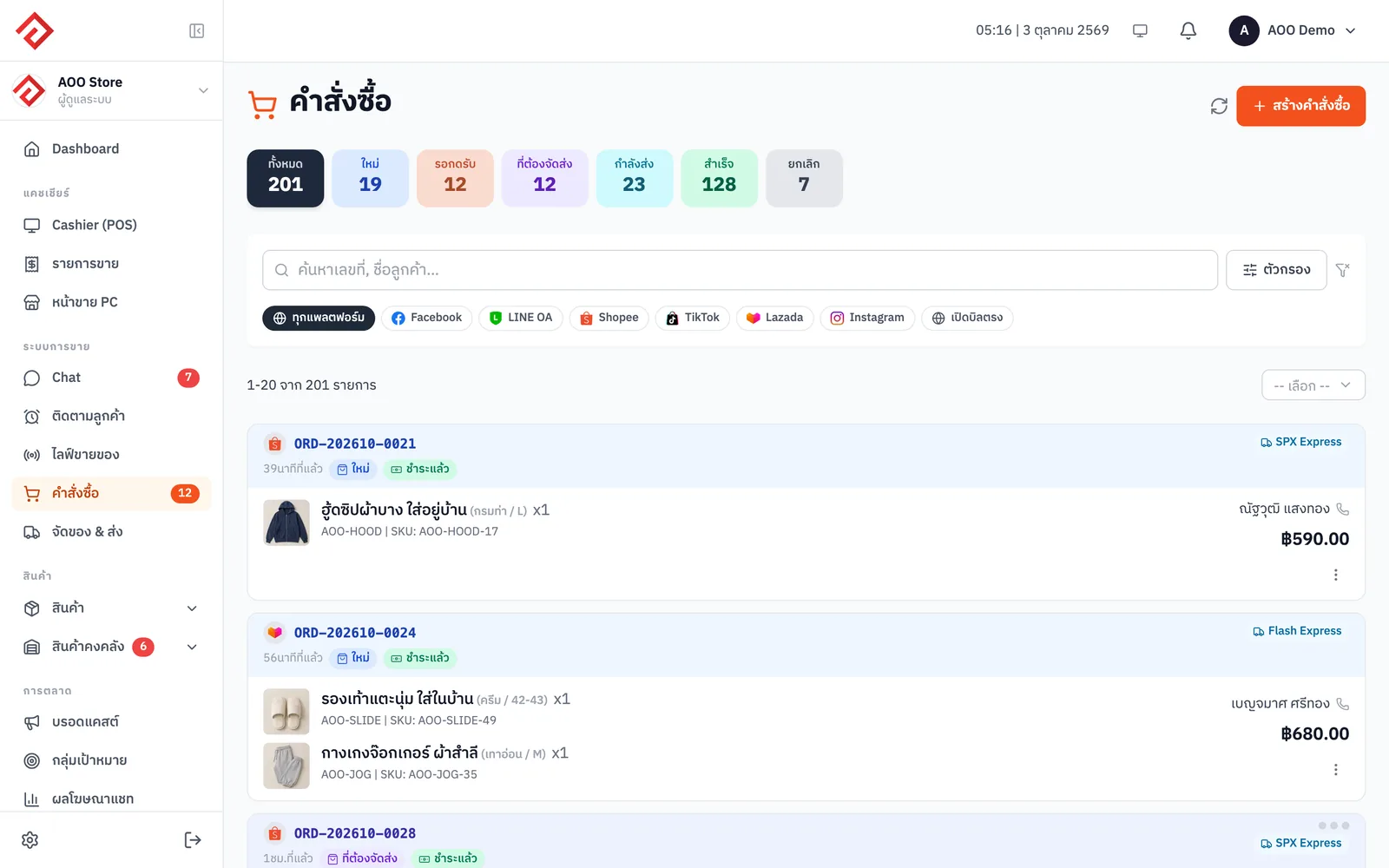
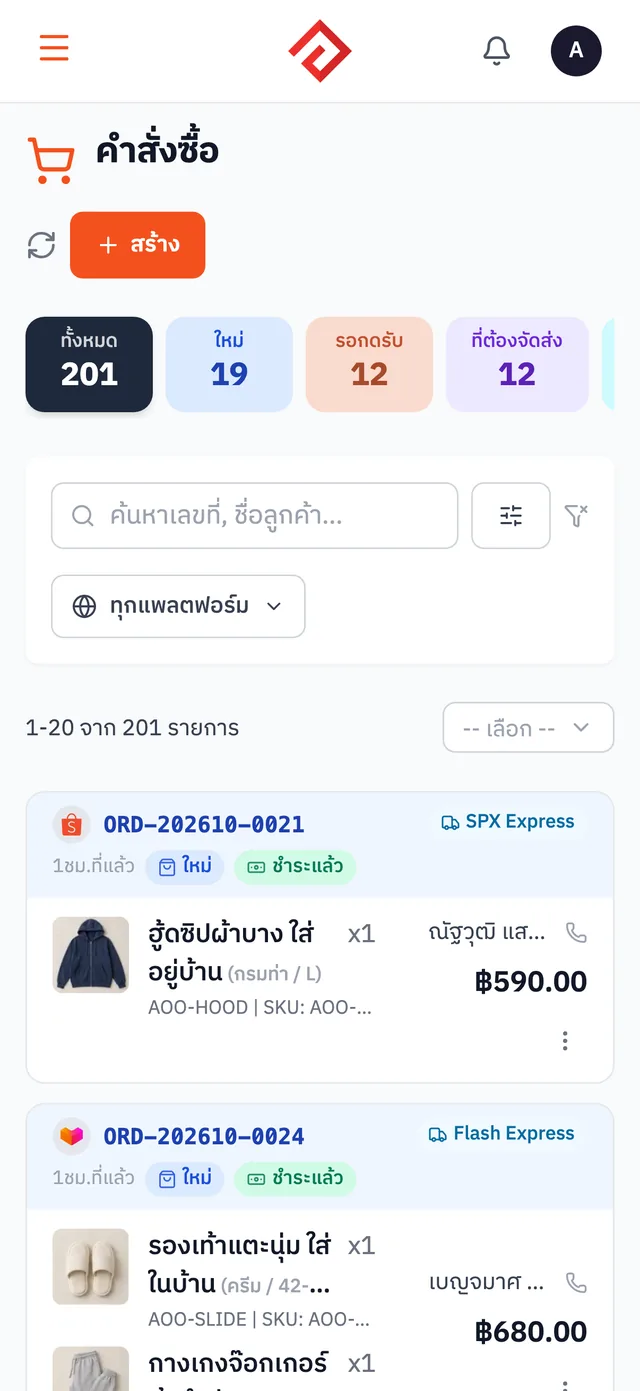
AooCommerce's order management brings orders from Shopee, Lazada, TikTok Shop and orders created from chat into a single list. Orders are split into new, to review and to ship so you see pending work on one page, then you print a whole day's shipping labels in one go.
Free on every plan


What Order Management can do
- Orders from Shopee · Lazada · TikTok Shop come into the system automatically
- Create an order right from the chat, no handwritten notes
- Statuses split into new · to review · to ship, so you see pending work on one page
- Print a whole day's shipping labels in one go
How to get started
- 1
Connect your marketplace shops
Connect your Shopee, Lazada and TikTok Shop stores and the system pulls orders in for you
- 2
Combine orders from chat
Orders created from LINE / Facebook chats go into the same list
- 3
Work through orders by status
See new, to-review and to-ship orders clearly separated
- 4
Print shipping labels
Select the orders to ship and print their labels all at once
Which plans include it
Price per month, per company
Novice
Free
Included
Merchant
฿590
Included
Blacksmith
฿990
Included
Whitesmith
฿1,990
Included
Frequently asked questions
Is Order Management free? How much does it cost?+
It's included in every plan, including the Novice plan, which costs nothing. No credit card needed to sign up.
How many orders does the free plan allow?+
The Novice plan lets you create 100 orders per month (counted across all channels). Past that, orders from Shopee · Lazada · TikTok Shop still sync into the system as usual, but creating or editing orders and issuing documents yourself is locked until the new month. The Merchant plan and above have unlimited orders.
Which marketplaces can orders be pulled from?+
Shopee, Lazada and TikTok Shop, pulled into the system automatically
Are chat orders and marketplace orders in the same place?+
They're in the same list, viewed and managed from one page
Can I print shipping labels for many orders at once?+
Yes. Select multiple orders and print their labels together
Works well with
Inventory Management
Sell anywhere and stock is deducted across every channel. No more overselling.
All-in-One Chat Inbox
LINE · Facebook · IG · Shopee · Lazada · TikTok — reply from one screen while your whole team sees every conversation.
Receipts & Tax Invoices
Issue bills, receipts and tax invoices straight from any order.