
In-Store POS That Shares Stock with Your Online Store
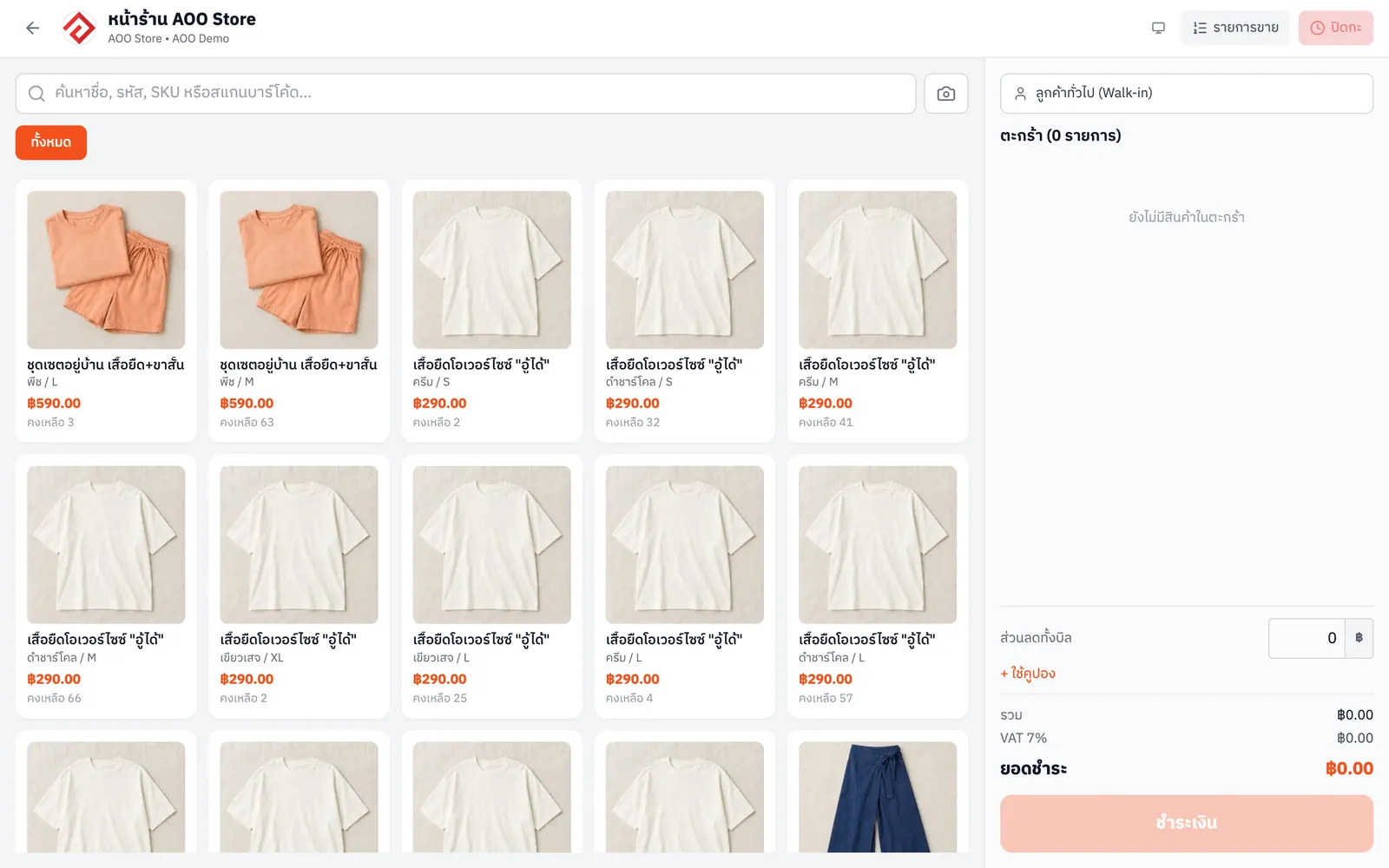
AooCommerce's POS lets you sell in-store on a computer or tablet, deducting stock from the same inventory as your online channels. Shops that sell both in-store and online don't need to count stock separately, and can view in-store sales apart from online.
From the Merchant plan


What In-Store POS can do
- Sell in-store on a computer or tablet
- Uses the same stock as online, no separate counting
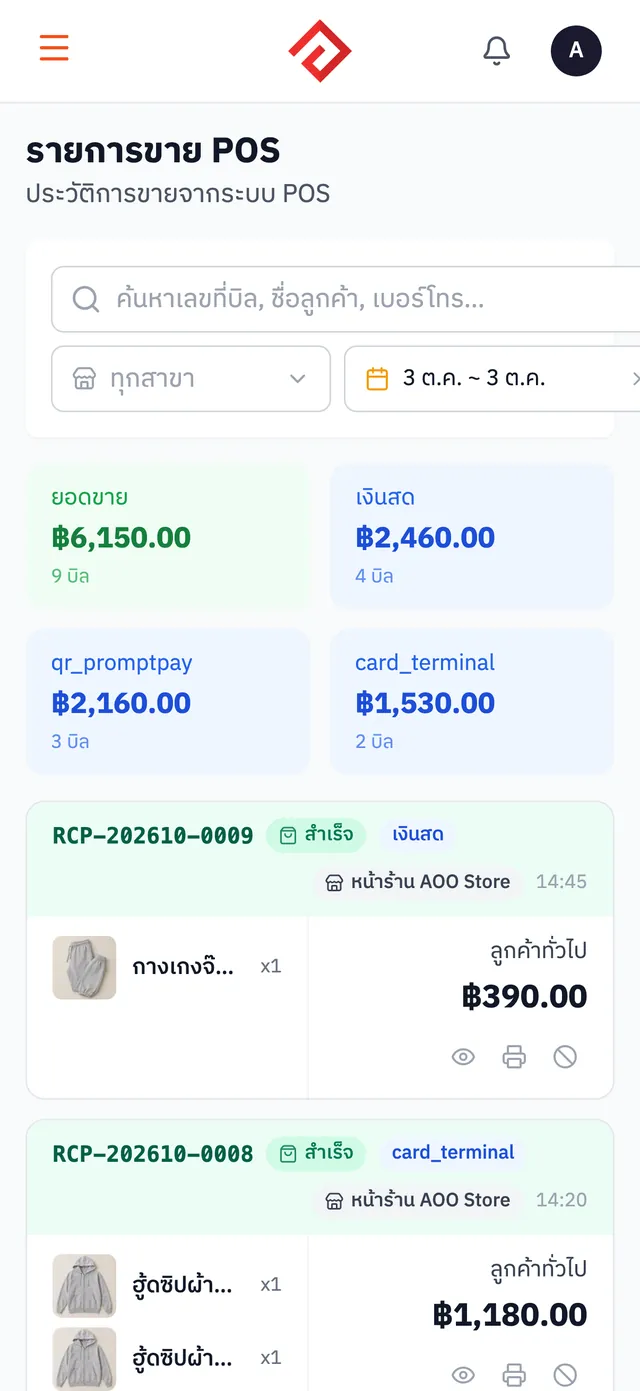
- View in-store sales separately
How to get started
- 1
Open the sales screen
Open the POS on a computer or tablet at your shop
- 2
Pick products and take payment
Add products to the bill and take payment
- 3
Stock is deducted automatically
In-store sales deduct from the same stock as online, instantly
- 4
Check in-store sales
View in-store sales separately from online
Which plans include it
Price per month, per company
Novice
Free
Not in this plan
Merchant
฿590
Included
Blacksmith
฿990
Included
Whitesmith
฿1,990
Included
Frequently asked questions
Is In-Store POS free? How much does it cost?+
It's included in the Merchant and Blacksmith and Whitesmith plans, starting at ฿590/month per company. The rest of the system can be used free on the Novice plan.
What devices does it work on?+
It runs in a web browser on a computer or tablet
Is in-store stock separate from online stock?+
No. It uses one central stock pool, so wherever you sell, stock is deducted in one place
Can I view in-store sales separately?+
Yes. There's a separate list of in-store sales
Works well with
Inventory Management
Sell anywhere and stock is deducted across every channel. No more overselling.
Receipts & Tax Invoices
Issue bills, receipts and tax invoices straight from any order.
Online Storefront
Launch your own shop website with a cart. Customers order on their own and orders land in the same system.
Try In-Store POS with your store
Sign up today and get a free 1-month trial of Whitesmith with every feature. No credit card needed.