
Unified Chat Inbox for LINE · Facebook · Shopee · Lazada · TikTok
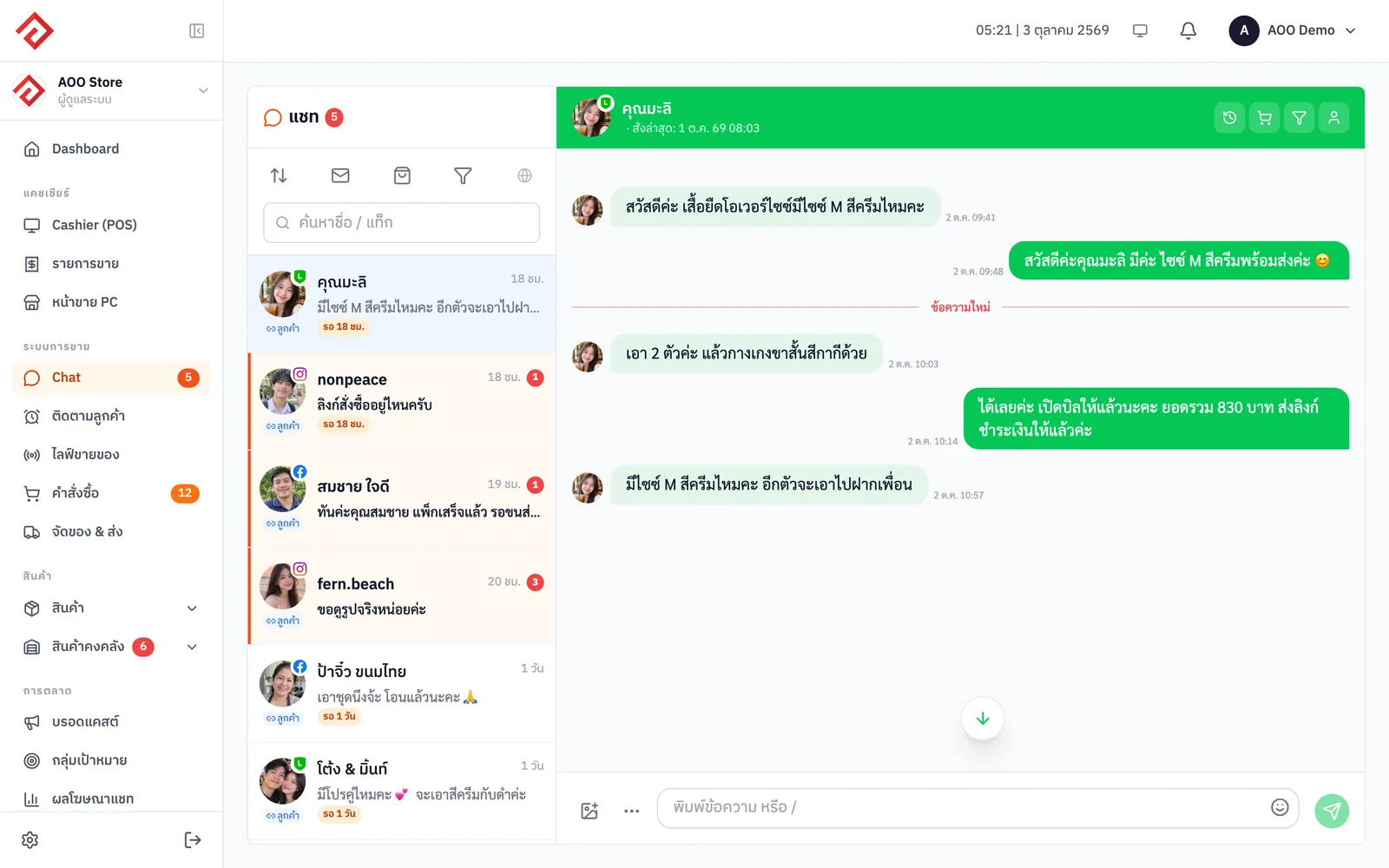
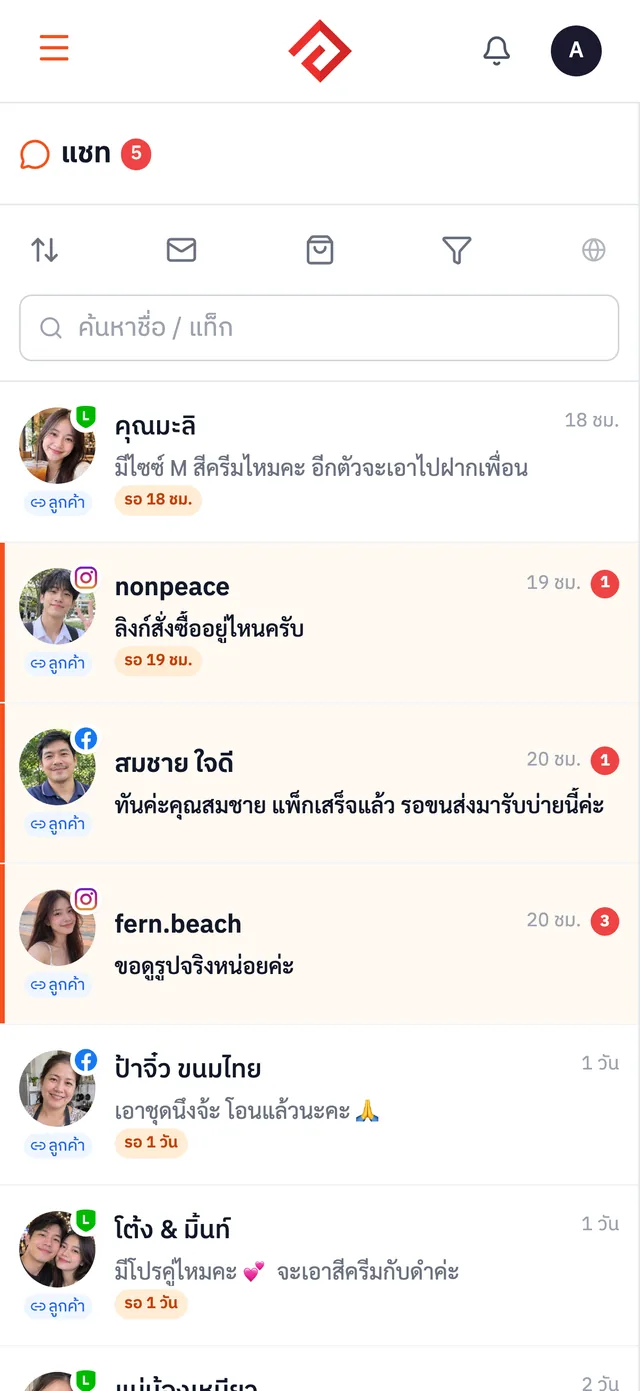
AooCommerce's unified chat inbox pulls customer messages from LINE OA, Facebook, Instagram, Shopee, Lazada and TikTok Shop into one inbox. Your whole team replies from the same screen, sees each customer's spend and latest order next to the chat, and can create an order right away without switching apps.
Free on every plan


What All-in-One Chat Inbox can do
- Messages from LINE OA · Facebook · Instagram · Shopee · Lazada · TikTok Shop in one inbox
- See customer details next to the chat: total spend, customer tier, latest order
- Saved replies shared by the whole team
- Follow up with customers who haven't bought yet so none slip away (from Merchant)
How to get started
- 1
Connect your channels
Connect LINE OA, your Facebook Page, Instagram and your marketplace shops to the system
- 2
Reply from one inbox
Messages from every channel land in one inbox, with saved replies shared by the whole team
- 3
See customer details beside the chat
See total spend, customer tier and latest order before you reply
- 4
Create orders from the chat
Once the customer agrees to buy, create the order right there, no notes to retype
Which plans include it
Price per month, per company
Novice
Free
Included
Merchant
฿590
Included
Blacksmith
฿990
Included
Whitesmith
฿1,990
Included
Frequently asked questions
Is All-in-One Chat Inbox free? How much does it cost?+
It's included in every plan, including the Novice plan, which costs nothing. No credit card needed to sign up.
How long are chat history and chat images kept?+
Chat messages are kept for good. Full-size chat images are kept for 3 months on the Novice plan and 12 months on paid plans; after that only a thumbnail remains, and videos and attachments are deleted.
How many channels can the chat inbox combine?+
6 channels: LINE OA, Facebook, Instagram, Shopee, Lazada and TikTok Shop
Can the whole team reply to chats at the same time?+
Yes. Everyone on the team sees the same inbox and uses the same set of saved replies
Can I create an order straight from the chat?+
Yes. Create an order from the customer's chat right away; it goes into the same system as your other channels
Works well with
Order Management
Orders from every marketplace come in automatically. Print a whole day's shipping labels in one go.
VIP / At-Risk Customer Tiers
Customers are tiered automatically by spend, so you can see right in the chat who's a VIP and who hasn't been back in a while.
LINE OA · Messenger Broadcast
Send promotions to past customers by tag or customer tier via LINE OA and Facebook Messenger.
Try All-in-One Chat Inbox with your store
Sign up free. No credit card needed.