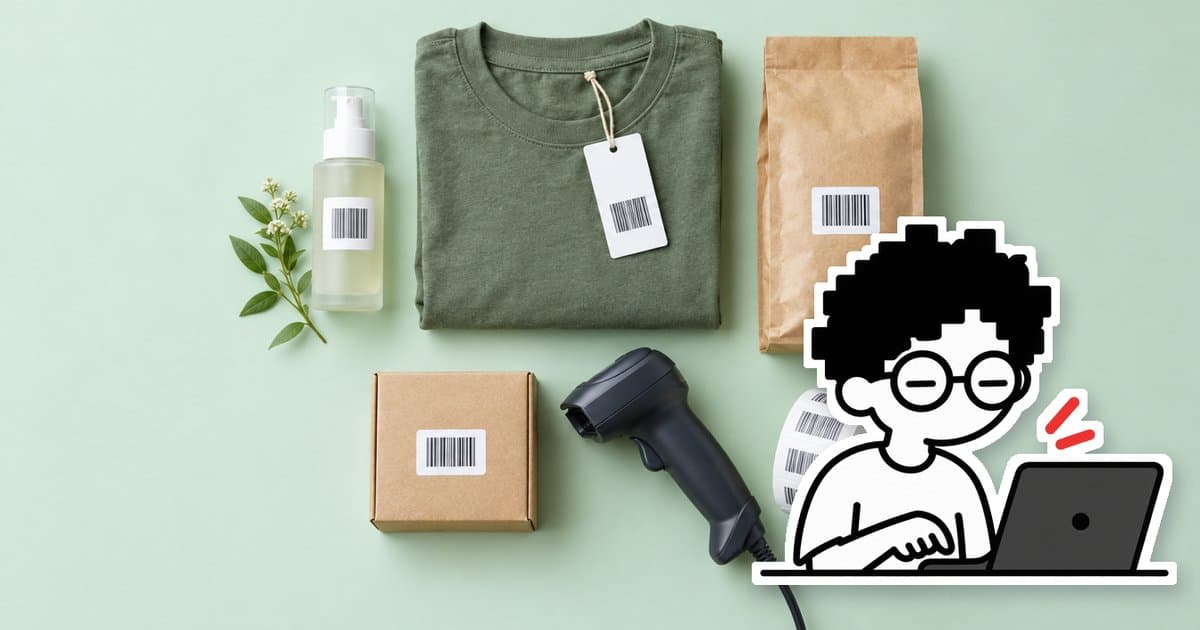
A barcode is a product code written as black and white bars so a scanner can read it instead of you typing it. It makes selling in-store, packing orders and counting stock faster and less error-prone. The two barcodes shops come across most are EAN-13, seen on products in shopping malls and supermarkets, and Code 128, used inside a shop or warehouse.
Key takeaways
Show summaryHide
- For your own shop/warehouse: make Code 128 barcodes from your SKUs right away — free, no permission needed
- Supplying department stores or large retailers: you need EAN-13 codes registered with GS1 Thailand
- The 885 prefix is issued by GS1 Thailand — you can't make it up yourself
- The last digit of an EAN-13 is a check digit calculated from the first 12 digits
- Print black on white, leave blank margins on both sides, don't stretch or squash it, and test-scan before printing in bulk
What is EAN-13?
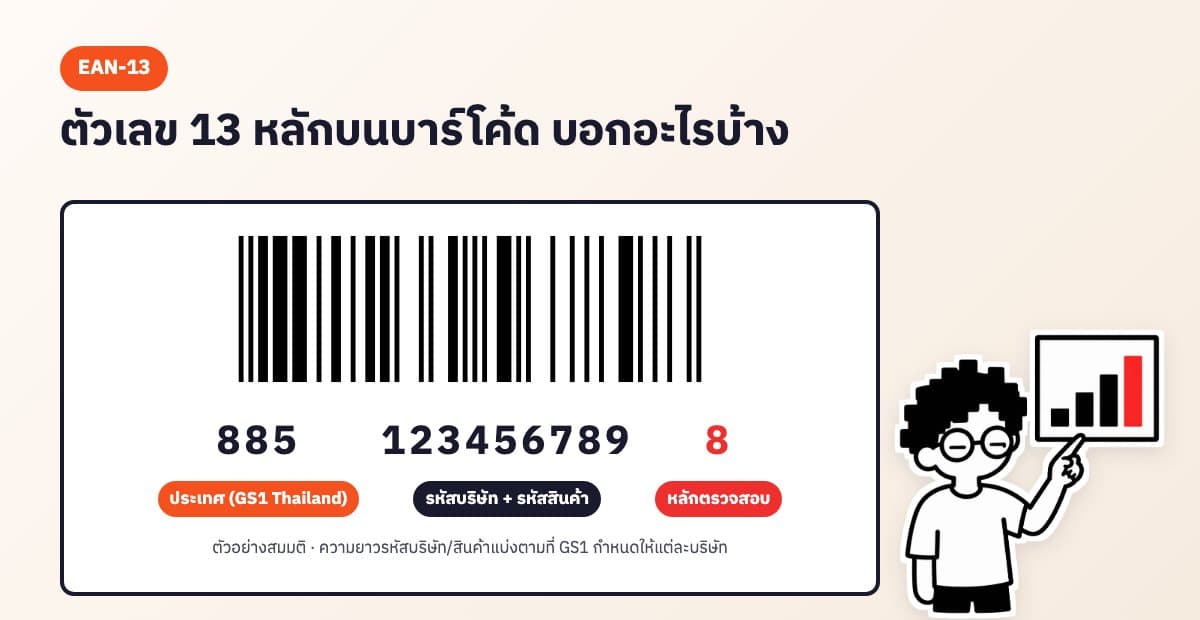
EAN-13 is a 13-digit numeric barcode used worldwide on retail products. The first three digits indicate the country of the GS1 member organisation that issued the code. Products starting with 885 have codes issued by GS1 Thailand. The next digits are the company code and the product code, and the last digit is a check digit, calculated from the first 12 digits to catch typing or scanning errors.
Example: if the first 12 digits are 885123456789, the check digit is 8, giving the full code 8851234567898 (a made-up number, not the real code of any product).
Important: if you plan to supply department stores, convenience stores or retailers that use a central scanning system, you must use EAN codes registered with GS1 Thailand (สถาบันรหัสสากล). You can't invent your own 885 number, because it could clash with another company's product.
How is the check digit calculated?
- Add the digits in positions 1, 3, 5, 7, 9, 11 (counting from the left) → 8+5+2+4+6+8 = 33
- Add the digits in positions 2, 4, 6, 8, 10, 12 and multiply by 3 → (8+1+3+5+7+9) × 3 = 99
- Add the two results → 33 + 99 = 132
- Work out how much more is needed to reach the next multiple of ten → 140 − 132 = 8, which is the check digit
Free tool, no sign-up
Product Barcode Generator
No need to work it out yourself — our barcode generator calculates the check digit automatically and warns you if the code you enter is wrong.
Use the free toolWhat is Code 128?
Code 128 can hold both letters and numbers and has no fixed length, which makes it ideal for turning your shop's own product codes (SKUs) into barcodes, e.g. TS-WH-M. You can stick them on products, shelves or boxes in your warehouse straight away without registering with anyone — but they only work within your own shop's system.
Which one should your shop use?
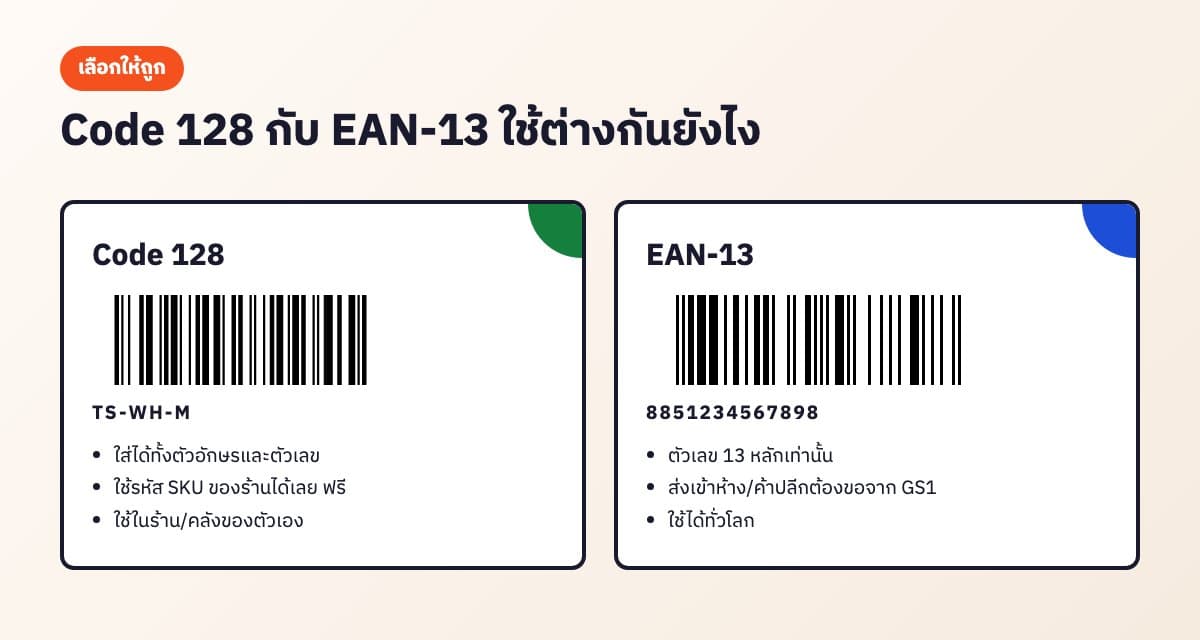
- Selling online, in your own store, or for stock counts: Code 128 from your shop's SKUs — fast and free
- Products already have an EAN code from the manufacturer: just use the existing code on the box
- Planning to supply department stores or large retailers: join GS1 Thailand to get EAN-13 codes for your own brand
How to get EAN codes from GS1 Thailand
- Apply for GS1 Thailand membership (สถาบันรหัสสากล, under the Federation of Thai Industries) in the name of your company or brand owner
- Choose enough codes for your products (count every colour, size and pack size separately)
- Pay the membership fee at the rate set by GS1 Thailand
- Receive your company prefix, then assign a product code to each item yourself
- Create EAN-13 barcode images from your codes, then print them on packaging or stickers
For membership fees and required documents, check the GS1 Thailand website directly, as they are updated from time to time.
How to print barcodes that scan reliably
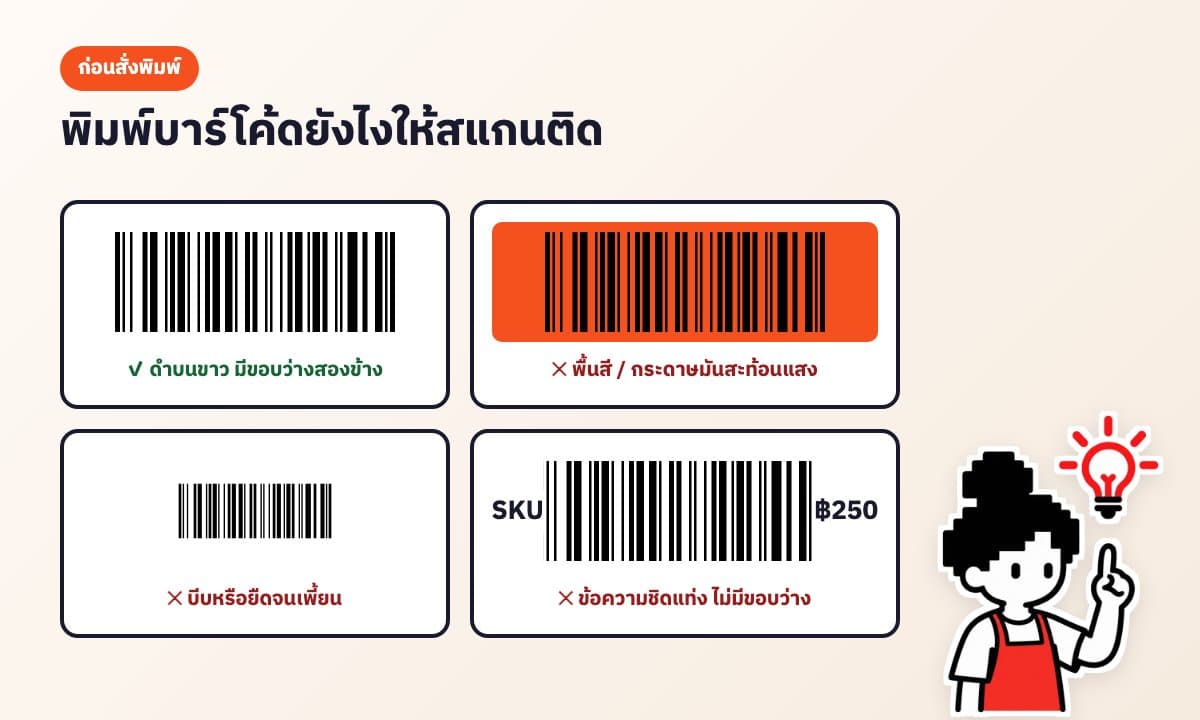
- Black bars on a white background only — avoid coloured backgrounds or glossy paper that reflects light
- Leave blank margins to the left and right of the barcode (the quiet zone); don't let text or the sticker edge touch the bars
- Don't shrink it so much that the bars get too thin, and don't stretch the image out of proportion
- Print at full resolution, not from a screenshot
- Always print the first sheet and test-scan it before printing in bulk
Which A4 sticker layout is best?
- 3 × 8 (24 labels) — large labels with plenty of room for name and price, good for boxes and bags
- 4 × 10 (40 labels) — medium size, suits most products
- 5 × 13 (65 labels) — small labels that save paper, good for small items or shelf tags
- 2 × 5 (10 labels) — very large labels, good for warehouse boxes or cartons
Choosing a barcode scanner
- 1D scanners read linear barcodes such as EAN-13 and Code 128 and are affordable
- 2D scanners read both linear barcodes and QR codes, so they're more flexible
- Most USB or Bluetooth scanners work like a keyboard: scan, and the code is typed straight into the selected field
Create barcodes for free and print on A4 instantly
Free tool, no sign-up
Product Barcode Generator
Use AooCommerce's online barcode generator for free with no sign-up. It supports Code 128 and EAN-13 (with automatic check digit), lets you paste a list from Excel for your whole shop at once, and downloads PNG or SVG images or prints A4 sticker sheets in 3×8, 4×10, 5×13 and 2×5 layouts.
Use the free toolUsing barcodes for stock counts and want stock deducted automatically on every channel? See AooCommerce's inventory system, or read more about stock management.
Frequently asked questions
Can I make my own product barcodes?+
Yes, if they're for use inside your own shop or warehouse — use Code 128 from your shop's product codes right away. But if you plan to supply department stores or large retailers, you need EAN-13 codes registered with GS1 Thailand.
What does a barcode starting with 885 mean?+
EAN codes starting with 885 are issued by GS1 Thailand (สถาบันรหัสสากล) and are used on products from member companies.
What is the last digit of an EAN-13?+
The check digit, calculated from the first 12 digits. Scanners use it to verify the code was read correctly. AooCommerce's barcode generator calculates it automatically.
What's the difference between Code 128 and EAN-13?+
Code 128 holds both letters and numbers, so you can use your shop's SKUs directly, but only within your shop. EAN-13 is a 13-digit number that must be registered with GS1 and is used on retail products worldwide.
How do I get barcodes from GS1 Thailand?+
Apply for membership with GS1 Thailand (สถาบันรหัสสากล), choose enough codes for your products, pay the membership fee, then use the company prefix you receive to assign a code to each product. See the GS1 Thailand website for costs.
My printed barcode won't scan. How do I fix it?+
Check that it's printed as black bars on white, has blank margins on both sides, isn't shrunk too small or stretched out of proportion, and is printed from a full-resolution file rather than a screenshot.
Which A4 barcode sticker layout should I use?+
4×10 (40 labels) works for most products. If you want the name and price to be clearly visible, use 3×8 (24 labels); for small items use 5×13 (65 labels).
Let the system run the back office. You go relax.
AooCommerce brings chats, orders and stock from every channel together. Sign up free — no card needed.